An Agent Workbench Should Not Be Just One Chat Box
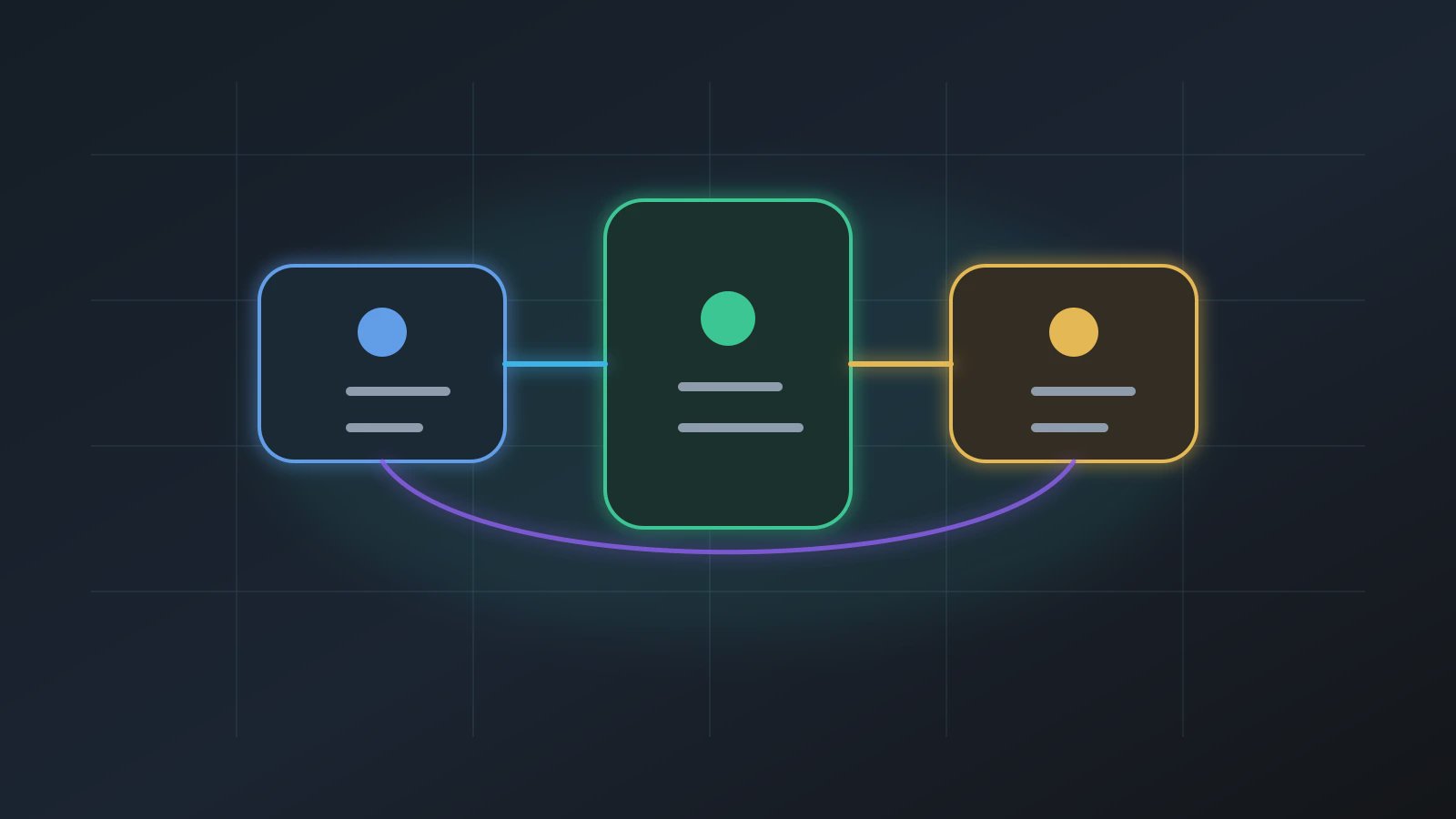
An Agent Workbench is the product surface where an AI digital worker handles three different kinds of work: asking, executing, and building. It should not be just one universal chat box. Teams lose time every day to repetitive, manual, error-prone work, but the user need is not always the same. Sometimes the user needs guidance. Sometimes they want to run a saved Agent. Sometimes they want to turn a recurring task into a new Agent. If all three intentions share one ambiguous chat box, users keep explaining context, guessing which mode they are in, and waiting for work that may not actually be running.
Anthropic's article on building effective agents is useful because it frames reliable agents as workflow design, not open-ended cleverness. NIST's AI Risk Management Framework also points toward AI systems that can be governed, measured, and managed. Axon's product stance is simple: separate the workbench entry points before asking an Agent to do real work.
This matches the logic in AI digital worker role design. If the role needs a boundary, the interface needs one too. Otherwise the user cannot tell whether the system is answering a question, starting a workflow, or building a durable capability.
Why One Chat Box Is Not Enough
The problem with a generic chat box is not that it cannot answer. The problem is that it flattens different responsibilities into one interaction. When a user writes, "Help me create a weekly customer feedback Agent," should the product explain how, run a report once, or enter build mode? If the interface does not distinguish the entry point, the model guesses and the user waits. When something fails, nobody knows whether the failure came from intent routing, execution, or configuration.
A good Agent Workbench does not merely reduce buttons. It reduces uncertainty about what kind of work is happening.
The three entry points have different jobs:
| Entry | User intent | Product responsibility | What it should avoid |
|---|---|---|---|
| Assistant | I am not sure what to use or how to start | route, explain, recommend, hand off | silently executing risky actions |
| Run | I have a saved Agent and want it to work | execute steps, show state, deliver artifacts | pretending via natural language |
| Build | I want to preserve repeated work | create a reusable Agent configuration | exposing a technical capability catalog |
This is not a cosmetic UI choice. It is responsibility design. A user may begin in the assistant, but real execution should move into run. Reusable work should move into build. The workbench should make those transitions visible.
Assistant: Route Before Doing
The assistant entry is more like a front desk than a universal worker. It should decide whether the user is asking a question, looking for an existing Agent, continuing from a prior artifact, or creating a new Agent. It can explain and recommend. It can hand the user to run or build. It should not bypass those entry points and secretly perform the workflow.
A restrained routing note can be this short:
User says: turn weekly customer feedback into a report
Assistant reads: recurring work, not a one-off answer
Next move: suggest build, confirm source, deliverable, and owner
Do not do: read every file, create a permanent Agent, send the report
The important act is handoff. If the user asks how to start, the assistant can answer. If the user says this should happen every week, build is more appropriate. If the user asks to run the existing customer feedback Agent, run should take over.
That reduces the repeated clarification problem described in Agent request quality. Better routing means less rework later.
Run: Make Real Work Visible
The run entry is not chat continuation. It should show plan, steps, progress, failure, stop state, and artifacts. Users do not need every internal capability name, but they do need to know what the Agent is reading, which step is active, where the output will land, and whether a confirmation is needed.
A practical run check can use three steps:
- Confirm which saved Agent this run belongs to.
- Check whether the current step is reading, generating, rendering, or waiting for confirmation.
- Inspect the workspace artifact before accepting the work.
This is the same product logic behind workspace-first Agent delivery. Real work should not disappear into chat history. It should produce artifacts the team can review.
Build: Preserve Repeated Work
The build entry should let a business user describe a goal in natural language, then let Axon turn that goal into a saved Agent. The user should not have to browse a long technical capability catalog. They also should not be forced to provide every parameter upfront. A better build experience asks through capability groups: files, web, Office, data, schedule, media, or monitoring.
That is where the Axon capability foundation matters. The system needs a solid capability layer, but the public experience should stay centered on Agents.
The quality of build determines whether a one-time success becomes a durable workflow. If build is only a model writing configuration text, users will not trust it. If build explains sources, steps, artifacts, and Trust Mode, users can decide whether the Agent belongs in daily work.
FAQ
Q1: Does a three-entry Agent Workbench make the product harder?
No. It puts complexity in the right place. Users only need to know whether they are asking, running, or building.
Q2: Why not let the assistant do everything?
Because real execution needs state, artifacts, failure handling, and permission boundaries. The assistant can route and explain; it should not replace the run entry with prose.
Q3: Is build the same as capability-module building?
No. Build is for Agents. Capability modules sit behind the Agent or team-specific automation, but they should not be the first object a general user has to manage.
Q4: What matters most in the run entry?
Visible steps, workspace artifacts, clear stop reasons, and Trust Mode confirmations matter more than animated progress.
Q5: Which entry should a team use first?
Use assistant when unsure, run when a saved Agent already exists, and build when a recurring task deserves a reusable workflow.
Next Step
When you start using Axon, describe the next task in one of three ways: question, run, or reusable Agent. To learn more, focus on how the Agent Workbench connects assistant, run, build, and workspace instead of judging the product only by chat fluency.